This guide will show you how to use Debt Help Illinois. It’s designed to be simple and easy to follow – no legal experience needed.
You’ll learn how to:
- Get tailored resources just by answering questions,
- Review your options and take action, and
- Track your progress and save helpful resources.
Take it one step at a time. We’re here to help you along the way.
Step 1: Press “Take the first step”
When you click “Take the first step,” we’ll ask you questions about your debt. The questions focus on one debt at a time.
If you have more than one debt, you can go through the question process for each debt and get resources for each of your debts.
What you’ll need
Debt Help Illinois is here to help you wherever you are with your debt problem. To provide you the best help, you’ll need to know:
- The kind of debt you’re dealing with,
- The name of the person or company who says you owe the debt (creditor),
- If you’ve been sued for the debt, and
- If you lost the lawsuit and the court entered a judgment against you.
It helps to have a recent bill, collection letter, or court papers with you.
If you need copies of your court papers, call or text Illinois Court Help at (833)411-1121.
Not sure where to start?
If you have more than one debt and don’t know where to start, we can help you decide by ranking your debts. We tell you why we rank the debts in the order, but you stay in control—you can pick any debt to start with.
Debt Help Illinois saves your rankings, so you can go back and explore your options for other debts at any time.
Step 2: See your results and explore your options
When you finish answering questions, you will see a Summary & Next Steps with information about your debt.
Summary of your problem
At the top of the page, you will see a summary of your problem based on the answers you provided. This will include information about your creditor and special laws that may apply to your case.
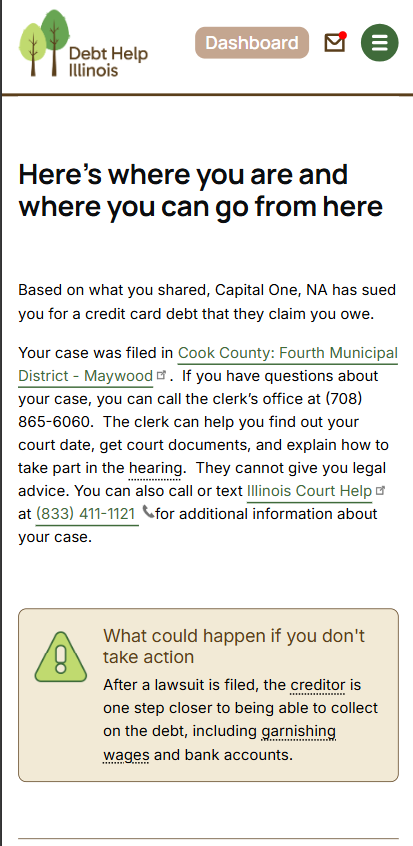
What could happen if you don’t take action
A lot of people ignore debts. There are times where ignoring a debt may be the best option, but most times this leads to even bigger problems. We tell you what could happen if you don’t take action to address the debt, so you can make a more informed decision about your options.
Referrals
If you match with an organization that can provide more help, you’ll see a card on your summary with information about how to connect with that legal or financial services organization.
Options
Options are step-by-step guides you can follow.
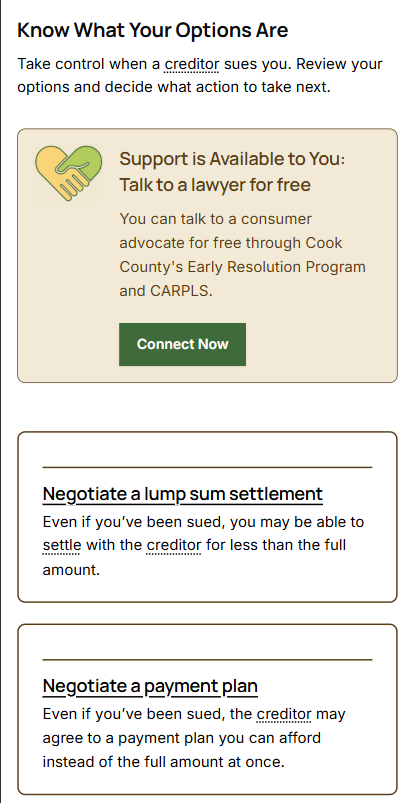
When you first view an Option, you’ll see an overview that includes:
- A short description of the option,
- Pros and cons, and
- A list of steps.
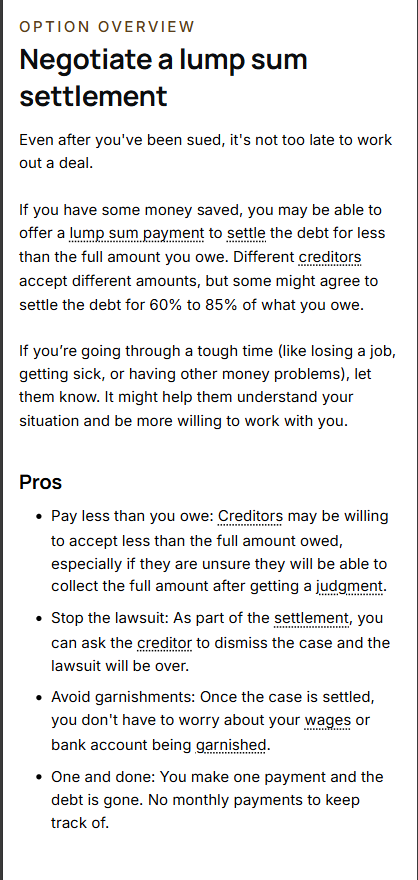
If you see an Option you’d like to learn more about, click on the title, and it will take you to an Option Overview. At the bottom of each overview, you have the Option to choose if it is right for you, and the website will save your choice.
Legal Resources
At the bottom of this page, you will see articles and tools that apply to your situation.
If you see something that you'd like to save for later, press the 🩶 and the article or tool will become available on your dashboard in your Saved Resources.
When you sign up for an account, all of this information will be saved to your personal Debt Help Illinois dashboard.
Step 3: Track your progress
When you find an Option that works for you, choose “Yes” to get guided steps.
As you follow the steps, you can:
- Use tools to better understand your situation,
- See scripts to help you talk to creditors or the court,
- Access Easy Forms to fill out court papers,
- Track your progress by checking off each completed step, and
- Print steps to bring to court or use during phone calls.
You can work on more than one Option at a time.
When you finish one, just archive it and move on to the next.
Your Dashboard
Your dashboard is your home base for organizing and tracking the progress you’ve made towards resolving your debt problems.
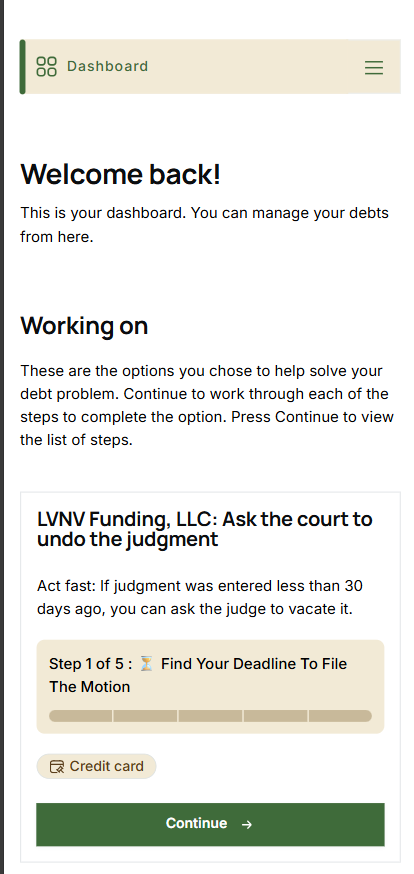
Working on
At the top, you will see the Options you are currently working on. Here, you can see your progress at a glance and pick up where you left off. The progress bar indicates which step you are on and how many steps are left. Once you have completed all the steps to resolving a debt, you can move it to your archive.
My Debts
This is where you will see every debt you’ve entered into our debt tool. This includes debts that you started working on and debts that you have not started working on. Here, you can revisit your debt prioritizations, debt summaries, and available Options. Once you select an Option to proceed with, it will appear under ‘Working on.’
Saved Resources
Anything you save (by clicking 🩶) will show up here. It’s a great way to keep articles or tools you want to revisit.
Learn More
Visit our Frequently Asked Questions to learn more.